Online-CV With Google-Cloud Run
Published
•3 min read
##Inherit from the post pelican-resume with AWS EC2 this post shows how to create online-cv with gcloud-run
Source: https://github.com/vumdao/pelican-resume
###1. Generate resume front-end output
docker run -v $PWD:/site vorakl/alpine-pelican pelican /site/content -o /site/output -s /site/pelicanconf.py
$ docker run -v $PWD:/site vorakl/alpine-pelican pelican /site/content -o /site/output -s /site/pelicanconf.py
WARNING: Feeds generated without SITEURL set properly may not be valid
WARNING: No valid files found in content for the active readers:
  | BaseReader (static)
  | HTMLReader (htm, html)
  | MarkdownReader (md, markdown, mkd, mdown)
  | RstReader (rst)
Done: Processed 0 articles, 0 drafts, 0 pages, 0 hidden pages and 0 draft pages in 0.09 seconds.
###2. Create nginx Dockerfile to create backend CV
# nginx state for serving content
FROM nginx:alpine
# Set working directory to nginx asset directory
WORKDIR /usr/share/nginx/html
# Remove default nginx static assets
RUN rm -rf ./*
COPY output .
# Containers run nginx with global directives and daemon off
EXPOSE 80
ENTRYPOINT ["nginx", "-g", "daemon off;"]
###3. Create cloud build yaml file General Steps Of the build set
- Build image
- Push image to gcloud registry
- gcloud deploy ``` steps:
- name: 'gcr.io/cloud-builders/docker' args: [ 'build', '-t', 'gcr.io/$PROJECT_ID/myresume', '.' ]
- name: 'gcr.io/cloud-builders/docker' args: ['push', 'gcr.io/$PROJECT_ID/myresume']
- name: 'gcr.io/cloud-builders/gcloud'
args:
- 'run'
- 'deploy'
- 'cloudrunservice'
- '--image'
- 'gcr.io/$PROJECT_ID/myresume'
- '--region'
- 'asia-southeast1'
- '--platform'
- 'managed'
- '--allow-unauthenticated'
images:
- 'gcr.io/$PROJECT_ID/myresume' ```
###4. Build and Deploy
####Get familiar with gcloud-build and gcloud-run through
- https://cloud.google.com/cloud-build/docs/quickstart-build
- https://cloud.google.com/cloud-build/docs/quickstart-deploy
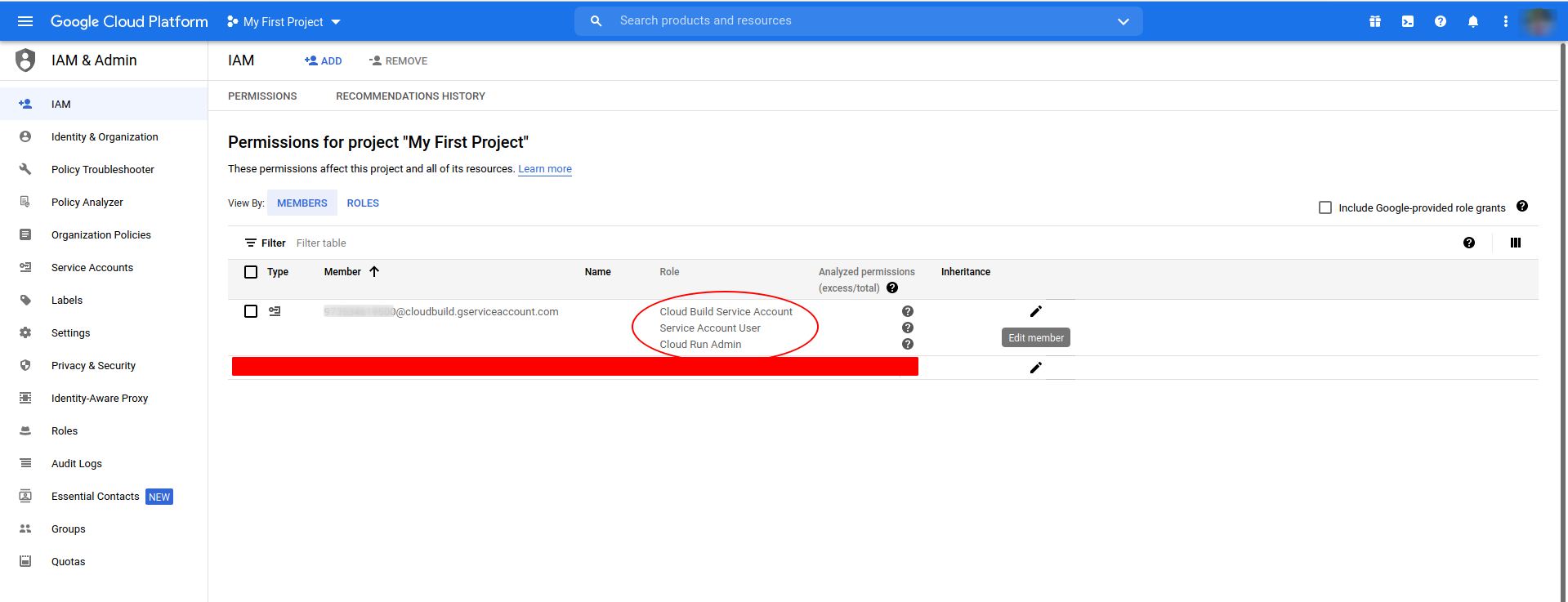
####Remember to add permission to the cloud build
gcloud builds submit --config cloudbuild.yaml
####Note
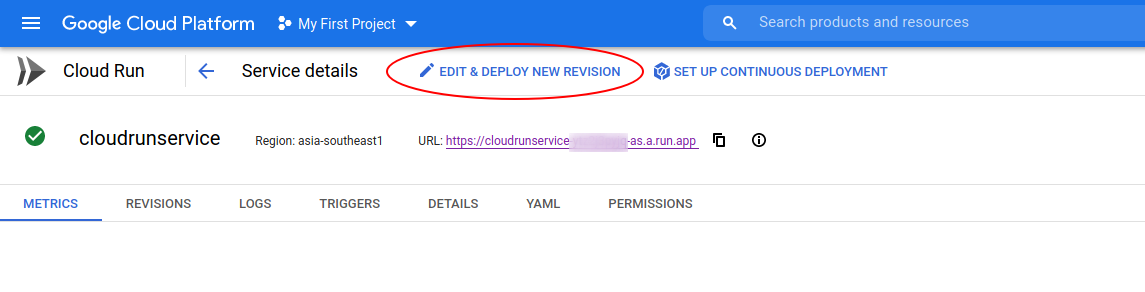
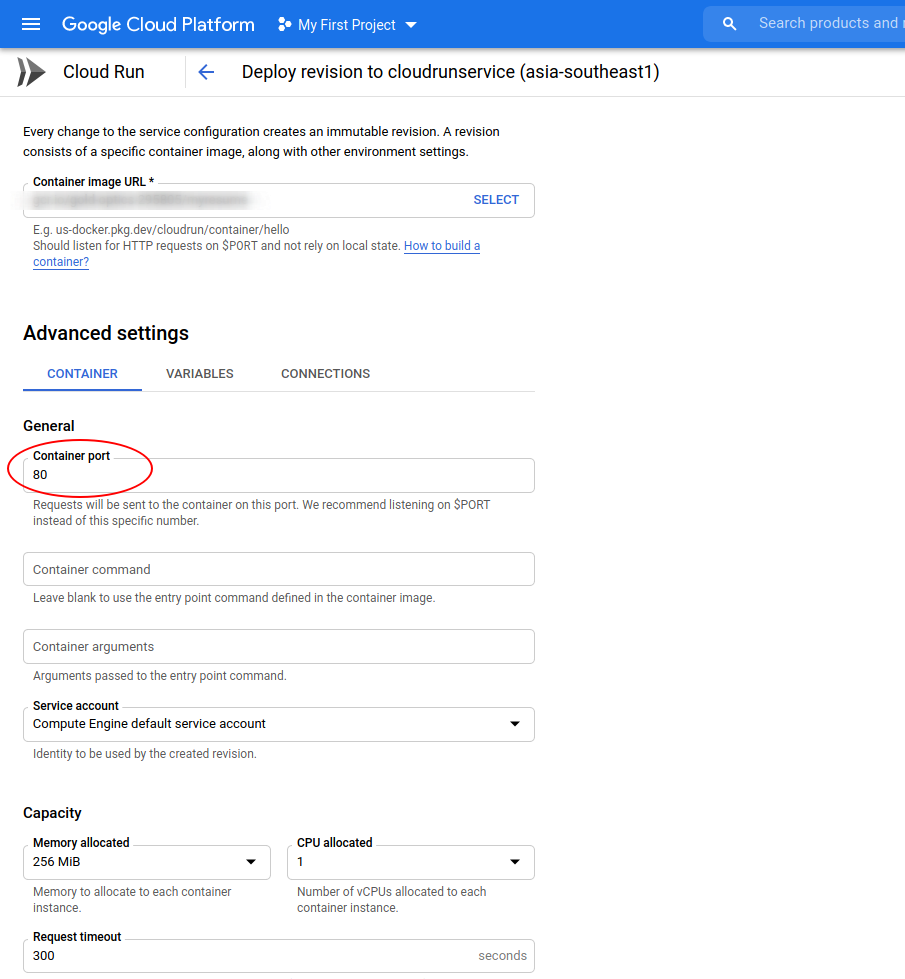
Default listen port of gcloud container is
8080, update it to listen to port 80 (nginx)Ref: https://cloud.google.com/run/docs/configuring/containers#configure-port
####Result
Step #2: Service [cloudrunservice] revision [cloudrunservice-00002-fin] has been deployed and is serving 100 percent of traffic.
Step #2: Service URL: https://cloudrunservice-ytz2j3pyjq-as.a.run.app