SQLPad - Quick Start With Docker
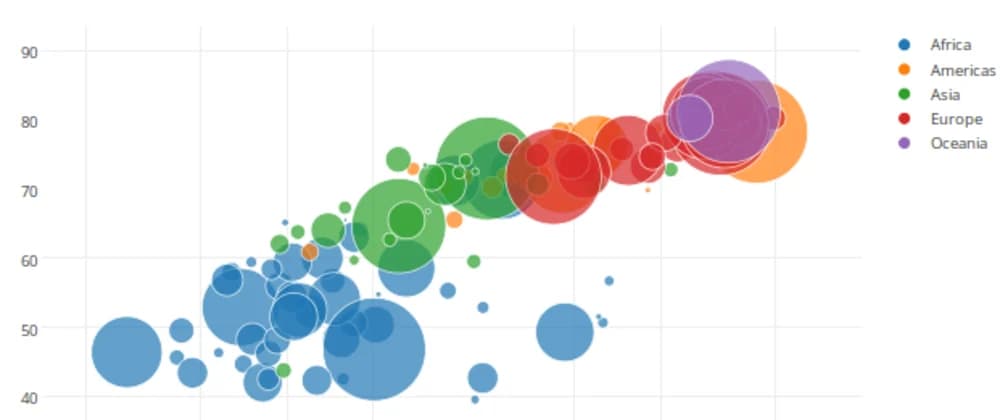
A web app for writing and running SQL queries and visualizing the results.
Supports Postgres, MySQL, SQL Server, ClickHouse, Crate, Vertica, Presto, Pinot, Drill, SAP HANA, Snowflake, BigQuery, SQLite, and many others via ODBC.
##Quick start using docker-compose https://github.com/vumdao/sqlpad
1. Create docker-compose.yaml
version: '3.5'
services:
  pddb_test:
    container_name: pgdb_test
    image: postgres:10.6
    ports:
      - "5432:5432"
    environment:
      - POSTGRES_USER=postgres
      - POSTGRES_PASSWORD=admin

  sqlpad:
    container_name: sqlpad
    image: "sqlpad/sqlpad:6"
    restart: always
    ports:
      - 3000:3000
    environment:
      - SQLPAD_ADMIN=admin@sqlpad.com
      - SQLPAD_ADMIN_PASSWORD=83Wrw50
    volumes:
      - /mnt/sqlpad:/var/lib/sqlpad
2. Up docker-compose docker-compose up -d
3. Check containers
> $ docker ps
CONTAINER ID        IMAGE               COMMAND                  CREATED             STATUS              PORTS                    NAMES
de3d6f5b8a24        postgres:10.6       "docker-entrypoint.s…"   25 minutes ago      Up 25 minutes       0.0.0.0:5432->5432/tcp   pgdb_test
e423ee635435        sqlpad/sqlpad:6     "/docker-entrypoint"     25 minutes ago      Up 25 minutes       0.0.0.0:3000->3000/tcp   sqlpad
4. Copy Database dump test to pgdb_test container Source: Schema: https://github.com/vumdao/sqlpad/blob/master/northwind_ddl.sql Data: https://github.com/vumdao/sqlpad/blob/master/northwind_data.sql
docker cp northwind_ddl.sql pgdb_test:/tmp/
docker cp northwind_data.sql pgdb_test:/tmp/
5. Create database
docker exec -it pgdb_test bash

postgres@de3d6f5b8a24:/$ createdb northwind

postgres@de3d6f5b8a24:/$ cat /tmp/northwind_ddl.sql |psql northwind
SET
SET
SET
SET
SET
SET
SET
SET
DROP TABLE
DROP TABLE
DROP TABLE
DROP TABLE
DROP TABLE
DROP TABLE
DROP TABLE
DROP TABLE
DROP TABLE
DROP TABLE
DROP TABLE
DROP TABLE
DROP TABLE
DROP TABLE
CREATE TABLE
CREATE TABLE
CREATE TABLE
CREATE TABLE
CREATE TABLE
CREATE TABLE
CREATE TABLE
CREATE TABLE
CREATE TABLE
CREATE TABLE
CREATE TABLE
CREATE TABLE
CREATE TABLE
CREATE TABLE

postgres@de3d6f5b8a24:/$ cat /tmp/northwind_data.sql | psql northwind
SET
SET
SET
SET
SET
SET
SET
SET
SET
INSERT 0 1
INSERT 0 1
6. Check databae
postgres@de3d6f5b8a24:/$ psql northwind
psql (10.6 (Debian 10.6-1.pgdg90+1))
Type "help" for help.

northwind=# \dt
                 List of relations
 Schema |          Name          | Type  |  Owner
--------+------------------------+-------+----------
 public | categories             | table | postgres
 public | customer_customer_demo | table | postgres
 public | customer_demographics  | table | postgres
 public | customers              | table | postgres
 public | employee_territories   | table | postgres
 public | employees              | table | postgres
 public | order_details          | table | postgres
 public | orders                 | table | postgres
 public | products               | table | postgres
 public | region                 | table | postgres
 public | shippers               | table | postgres
 public | suppliers              | table | postgres
 public | territories            | table | postgres
 public | us_states              | table | postgres
(14 rows)
7. Open sqlpad browser from http://localhost:3000 User and password from docker-compose

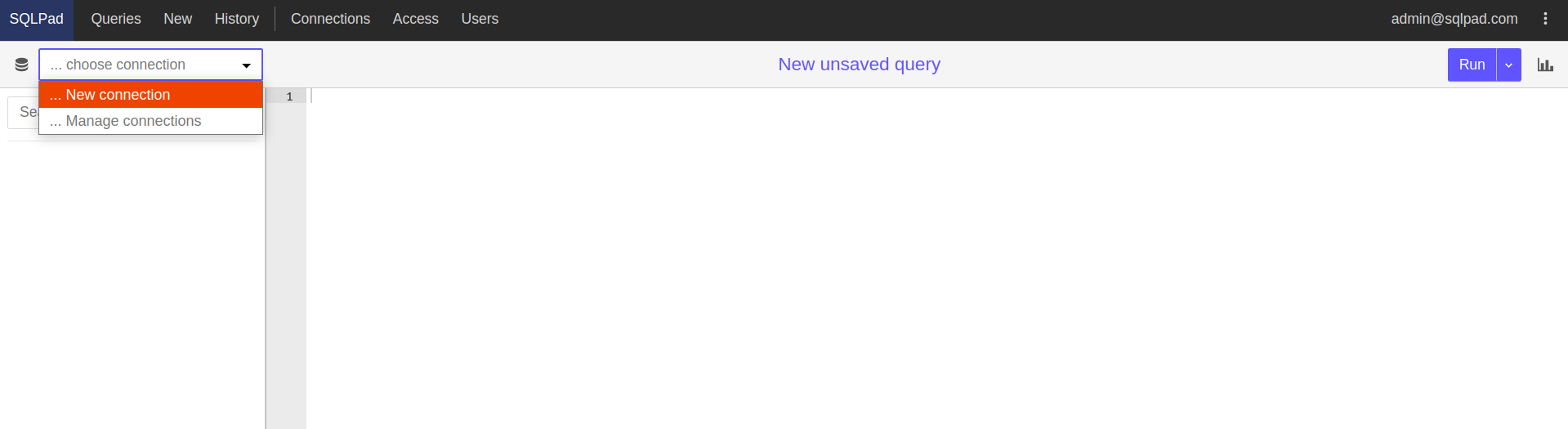
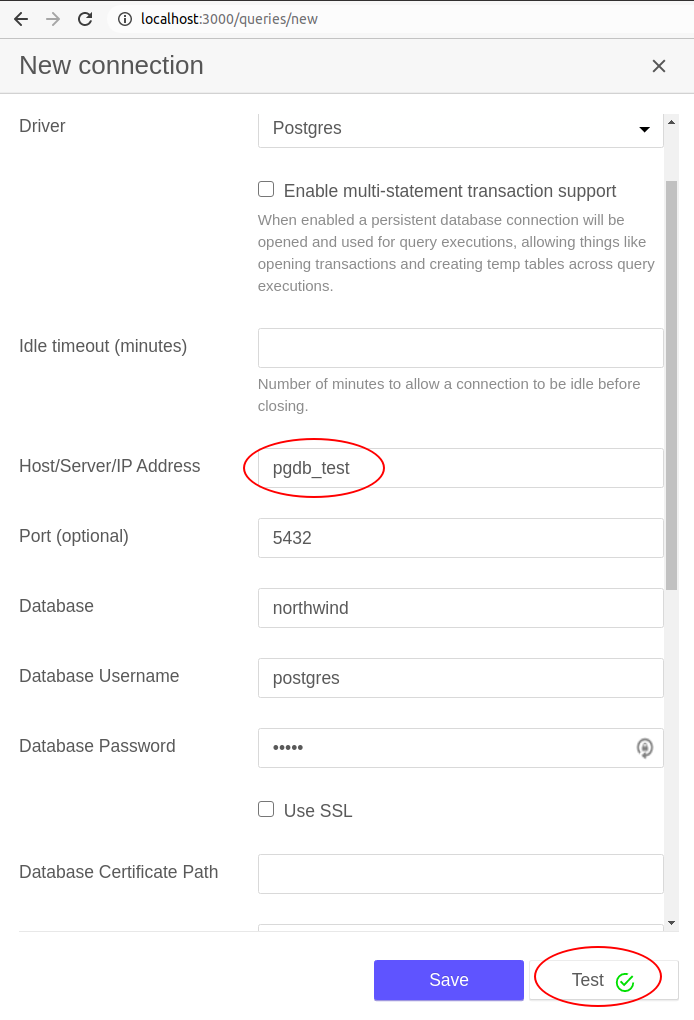
8. Create new connection to the database
9. Visualize products table